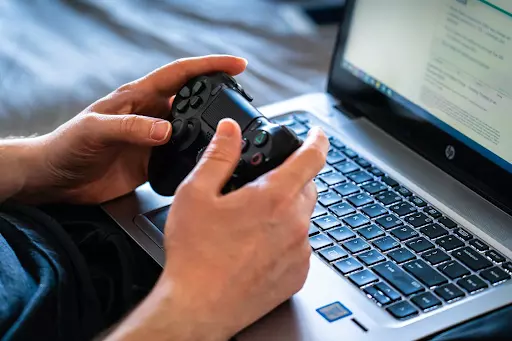
Counter-Strike 2 demands absolute precision. Every single frame counts when you are holding an angle with an AWP. A single stutter right as you peek mid doors usually means you lose the round. Lag spikes and sudden disconnects ruin matches, and they frustrate everyone on your team. Sometimes your own internet setup causes these headaches. Other times, malicious players might launch a Distributed Denial of Service (DDoS) attack against your IP address to force a disconnect. You can fix most of these issues by taking a few straightforward steps to secure your connection.
Playing on a wireless connection is a massive gamble. Wi-Fi signals drop constantly due to interference from walls, microwaves, or just other devices active in your house. Therefore, grabbing a standard Ethernet cable and plugging your PC directly into the router is the best upgrade you can make. A wired connection gives you a stable signal, which means lower ping and zero packet loss during intense firefights. If running a long cable across the hallway is out of the question, a powerline adapter might help. These devices use your home electrical wiring to send data, giving you a pseudo-wired setup that beats standard Wi-Fi any day of the week.
CS2 actually gives you tools to manage your network experience right in the main menu. You definitely want to restrict the matchmaking system so it only puts you in servers close to your actual location. Setting this too high means you might end up in a server halfway across the continent.
Since the game now prioritizes local servers, your hit registration will feel much crisper. You should also check that your bandwidth traffic limit is set to “Unrestricted” so the game client can send data freely without artificial bottlenecks.
Competitive gaming sometimes brings out the worst in people. Sore losers might try to find your IP address and flood your network with junk data. You can stop this entirely by running a Virtual Private Network (e.g., a gaming-focused VPN) to hide your real location. Because the attacker only sees the VPN server, your actual home network stays completely safe. Speed matters a lot when picking a service to use while gaming. If you want to see how the top options stack up, checking out this Proton VPN vs ExpressVPN performance review from the VPN experts at Cybernews is a smart move to keep your ping low while staying protected.
Your computer loves to download random updates right when you need to clutch a tense situation. Steam might decide to update another massive game in your library while you play. Browsers, chat apps, and game launchers eat up valuable bandwidth behind the scenes, which causes massive lag spikes. Before you queue for Premier mode, close out anything you do not actively need. You can open Task Manager to see exactly what is draining your network speed. Keeping your system clean guarantees every bit of your internet goes straight to CS2.
Taking control of your network setup ensures your aim and game sense are the only things determining your rank. By locking down your connection and hiding your IP address, you can finally grind the leaderboards without worrying about random disconnects.


Players must be 21 years of age or older or reach the minimum age for gambling in their respective state and located in jurisdictions where online gambling is legal. Please play responsibly. Bet with your head, not over it. If you or someone you know has a gambling problem, and wants help, call or visit: (a) the Council on Compulsive Gambling of New Jersey at 1-800-Gambler or www.800gambler.org; or (b) Gamblers Anonymous at 855-2-CALL-GA or www.gamblersanonymous.org.