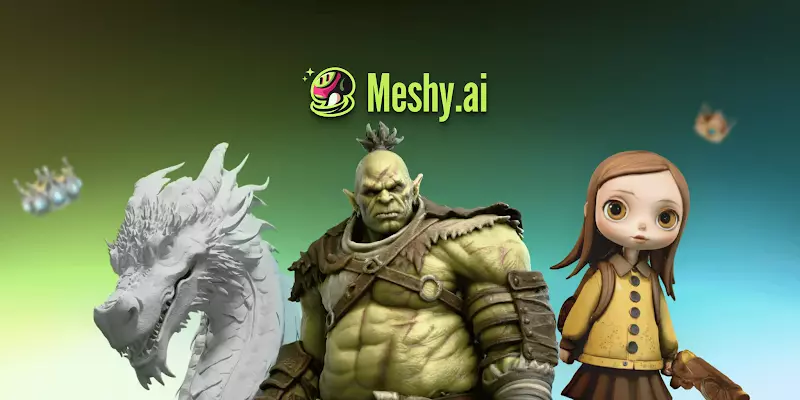
Designers can turn photos into game-ready 3D assets using AI tools like Meshy AI. Upload an image, generate a textured 3D model in about a minute, then export FBX, GLB, or OBJ files into Unity, Unreal, or Blender. You can reduce manual modeling work, but every asset still needs topology, UV, scale, and material checks. It works for hard-surface objects and simple characters. Hero assets and anything that needs animation still go to a modeler.
image-to-3D converts a 2D photo or concept into a 3D mesh with textures. You upload a PNG or JPG, and an AI model infers depth and shape. The output is a downloadable 3D file you can drop into a game engine. For designers, that means rapid prototyping without deep modeling skills, and PBR materials in minutes rather than hours.
I’ve used Meshy’s image-to-3D feature for props, buildings, and low-priority characters. It’s not magic, but it’s fast. The tradeoff is that you still have to check topology, UVs, and scale before anything goes into a build. For background assets and placeholder geometry, it saves real time.
The economics matter for small teams. Meshy’s free-plan documentation lists 100 credits per month for free accounts, with paid plans starting at $20. That’s less than a freelance modeler charges to build you a crate.
AI models like Meshy 6 analyze a single image and predict a 3D structure, estimating depth, normals, and surface properties. Meshy’s own guide calls this multi-view synthesis. The model imagines angles the camera never captured, then reconstructs the sides and back from those imagined views.
Everything the photo doesn’t show is invented rather than measured, which explains most of the cleanup you’ll end up doing. Meshy offers an AI Multi-view option to reduce the guesswork, and its documentation recommends front, side, back, and three-quarter references in a consistent style.
Lighting and background matter more than resolution here. Clear, evenly lit photos with simple backgrounds produce cleaner models, while complex shadows and cluttered scenes confuse the AI. I’ve had better results with studio-style product shots than with casual phone photos. Meshy’s feature page suggests at least 1040×1040 px input for accurate proportions.
Meshy AI is the strongest fit for game-ready workflows. Its features page lists seven export formats: FBX, OBJ, GLB, USDZ, STL, BLEND, and 3MF. There’s PBR texture generation, a Low Poly mode for real-time performance, and native plugins for Unity, Unreal, Blender, 3ds Max, Maya, and Godot. Tools like Tripo and Rodin produce good models but lack the same engine-focused tooling.
I’ve tested several platforms, and Meshy’s output feels tuned for game pipelines. The textures come out PBR-ready and the meshes are clean enough for background assets. Competitors often stop at “here’s a 3D model,” without engine-specific polish.
One caveat before you plan a workflow around it. Meshy’s help center states that Meshy 6 models can be generated on the free plan but not downloaded. Free-plan downloads are limited to Meshy 5 output.
Start with a clean source image on a neutral background, evenly lit, and avoid extreme angles or reflective surfaces. Meshy’s help center lists .png, .jpg, .jpeg, and .webp as supported inputs, with a 20MB maximum.
Upload the image, choose single or multi-view input, and generate. The feature page puts most conversions at about a minute. Texturing runs as a separate step with its own credit cost, so budget for it when you plan a batch.
Set your polycount before you export rather than after. Meshy’s Remesh tool targets anywhere from 1k to 300k triangles or quads. Reducing geometry once the model is already in Unity introduces UV and shading artifacts that a clean re-export avoids entirely.
I use Meshy for props and architectural elements. Characters need more manual cleanup, and I check UVs and scale on everything before it leaves the workspace.
Image-to-3D struggles with unseen geometry, since backs of objects and occluded areas are guessed rather than reconstructed. Complex organic shapes and fine details need manual fixes. You still want a 3D artist on hero characters and on anything with complex animation.
I’ve hit these limits repeatedly. Props and buildings hold up well, while characters and vehicles usually come back needing retopology and UV work. The tool earns its place on volume, not on the assets people look at closely.
Art direction is the harder limit. If your game has a specific stylized look, generated assets drift from it. Pulling them back into style often costs more time than modeling would have.
Meshy’s help center recommends GLB for both Unity and Unreal because it bundles textures. In Unity, drag the .glb into your Project window and Unity creates a prefab automatically. Meshy’s Unity workflow tutorial notes you’ll want the glTFast package installed for GLB work.
Unreal detects the file as glTF and prompts with import options, and the defaults work for most props. Meshy’s Unreal plugin ships separate builds for UE 5.4 through 5.7, and its DCC Bridge sends models from your workspace straight into the scene.
In Blender, import and verify topology and UVs. Meshy’s import guide flags the most common failure: FBX coming from Unity or Unreal often needs a 0.01 scale value in the import dialog. If materials look wrong, check that the texture nodes connect to the Principled BSDF.
I’ve imported dozens of Meshy models into Unity, and most work without intervention. A few need material reassignment or a scale tweak.
Yes, with caveats. In Meshy’s own March 2026 testing of 75 models, character and figurine output hit a 97% Bambu Studio slicer pass rate. Only 55% came out fully watertight with zero repairs needed. The rest needed hole-filling before slicing, and the pass rate dropped on mechanical and functional geometry.
The gap between those two numbers is the part that matters for planning. A model can clear the slicer and still be a mesh you wouldn’t want in a game build.
For AR/VR, use Low Poly mode and keep texture resolution modest. Export as GLB or USDZ for real-time use. Headsets punish overdraw harder than desktop GPUs do, so the polygon budget you’d accept on PC is usually too generous.
This is worth understanding before you pitch generated assets to a team. The GDC Festival of Gaming published its 2026 State of the Game Industry report in January 2026, drawing on more than 2,300 responses.
The findings are mixed. About 36% said they use generative AI tools in their work. Another 52% said generative AI is harming the industry, up from 30% the year before. Visual and technical artists were the most unfavorable group at 64%.
The report also found most AI use sits in research, brainstorming, code assistance, and prototyping rather than in shipped assets. That matches how I’d recommend using image-to-3D. Greybox and prototype quickly, then decide which assets earn a human artist’s time.
Image-to-3D tools like Meshy AI let designers create game-ready assets quickly. Focus on props and environments, use clean source photos, and validate outputs in your engine before you build around them. Treat it as a shortcut through the boring parts of asset production rather than a replacement for skilled modeling.
What image formats work best for image-to-3D?
PNG, JPG, JPEG, and WEBP all work in Meshy. Aim for clear lighting and simple backgrounds. Meshy caps uploads at 20MB and suggests at least 1040×1040 px for proportional accuracy.
Can I use Meshy models commercially?
Yes. Meshy’s help center, updated June 2026, says free-plan output is licensed CC BY 4.0, which permits commercial use with attribution. Paid plans give you outright ownership with no attribution requirement.
Do I need modeling skills to use image-to-3D?
Basic 3D knowledge helps, since you still have to check topology, UVs, and engine compatibility. AI handles the heavy lifting while you guide the results.
How accurate are AI-generated 3D models?
They’re approximate. Anything the source photo doesn’t show gets inferred rather than reconstructed. Use them for concepting and background assets, and combine with manual modeling where precision matters.
Which engines support Meshy exports?
Unity, Unreal, Godot, Roblox, Blender, and Maya all handle FBX, GLB, or OBJ. Meshy ships native plugins for most of them.
How many polygons should a game asset have?
Unity’s manual suggests 300 to 1,500 per mesh on mobile and 1,500 to 4,000 on desktop. Adjust down when many objects share the screen at once.


Players must be 21 years of age or older or reach the minimum age for gambling in their respective state and located in jurisdictions where online gambling is legal. Please play responsibly. Bet with your head, not over it. If you or someone you know has a gambling problem, and wants help, call or visit: (a) the Council on Compulsive Gambling of New Jersey at 1-800-Gambler or www.800gambler.org; or (b) Gamblers Anonymous at 855-2-CALL-GA or www.gamblersanonymous.org.